


ReadEra – book reader pdf epub
4.921.26K Reviews
App Specs
- Version
- 26.05.20+2300
- Updated On
- License
- Free
- Downloads
- 50,000,000+
- Developer
- READERA LLC
- Categories
- Books & Reference
- Platform
- Android, iOS
Screenshots
 Analysis by AppCompare
Before choosing an ebook reader, I’d ask a practical question: where do my books come from, and what do I need to do with them once they’re on my phone? If most of your reading is in files you already own—rather than titles tied to one bookstore—ReadEra is worth a look. It’s a free Books & Reference app from READERA LLC, and its appeal is less about building another shop and more about giving a mixed collection of documents one place to open and read.
Start with your reading habits
I find ReadEra most useful when a library contains a jumble of ebooks and documents collected over time. A novel in EPUB, a manual in PDF, and a Word document for work don’t require separate reading apps here. That flexibility matters if you switch between leisure reading and reference material, or if you receive files from different sources and don’t want to convert each one before opening it.
The trade-off is that a file reader is not automatically the best choice for every reader. If you mainly buy books inside a particular bookstore app, that service may be more convenient for purchasing, managing a store-based library, and continuing across its own devices. ReadEra makes more sense when you value access to local files and broad format support over a tightly integrated bookstore experience.
A useful fit for mixed libraries
In everyday use, the best reason to keep ReadEra installed is convenience: I can bring different kinds of reading material together instead of remembering which app handles which file. The app’s format range includes PDF, EPUB, MOBI, DJVU, and Word, among others. That makes it a practical option for students reading course documents alongside ebooks, or for anyone who keeps manuals and reference material on a phone.
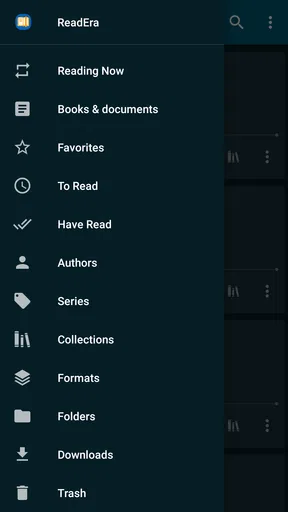
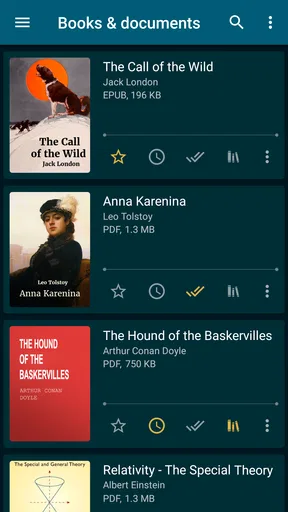
There is also a simple organizational benefit. Sorting a collection and making personal collections can help separate, for example, current novels from work documents or books you want to revisit. I’d treat that as a lightweight library system rather than a full cataloging project: it helps me find things, but the payoff depends on keeping the collection tidy as it grows.
For a realistic day, picture downloading a PDF before a commute, reading a few pages offline, then opening an EPUB novel later that evening. ReadEra’s central advantage is that the two tasks can happen in the same app. That saves app-switching, though it doesn’t remove the need to manage where your original files are stored or how you move them between devices.
Your Portable Library
Let’s dive into what makes ReadEra a must-have for any avid reader. First off, it supports a wide range of formats including PDF, EPUB, MOBI, DJVU, and more. No more worrying about converting files or finding specific apps for specific formats. It’s like having a universal remote, but for books!
Worth Reading Before You Choose

Flipboard Shows What News Apps Must Do Beyond the Feed

Switching to Android Auto Means Rethinking Your Driving Routine

Google Calendar Makes a Crowded Week Easier to Manage

Ludo King Makes the Most of the Minutes Between Plans

Baby Panda World Brings Quick Play to Modern Phones, but Its Game Library Feels Busy

ESPN’s Live Game View Makes Following Close Games Easier
One of the first things you'll notice is how clean and user-friendly the interface is. I mean, it’s just so straightforward. You open the app, and boom, there’s your library. No unnecessary frills or complicated menus. You can sort your books by author, genre, or even create your own collections. It’s perfect for someone like me who loves a bit of organization.
Reading Made Easy
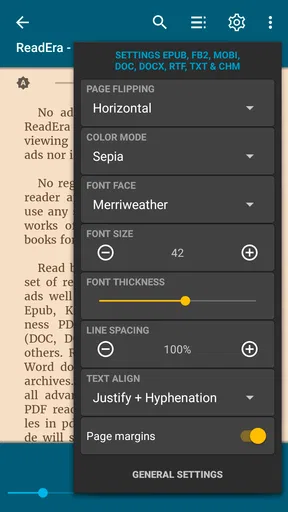
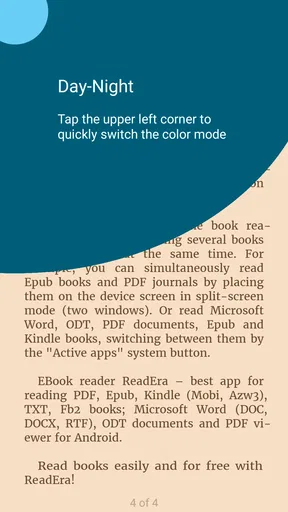
The reading experience is what truly sets ReadEra apart. It offers a seamless, distraction-free environment. You can adjust the brightness, change the background color, and even switch to night mode for those late-night reading sessions. The text is crisp, and the page turning is smooth – just like flipping the pages of a real book.
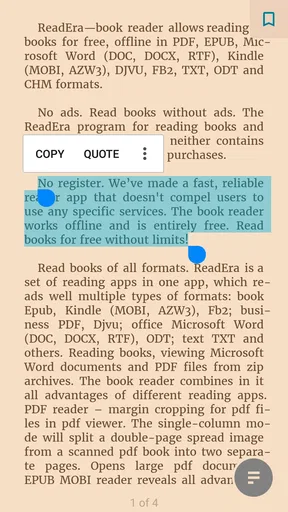
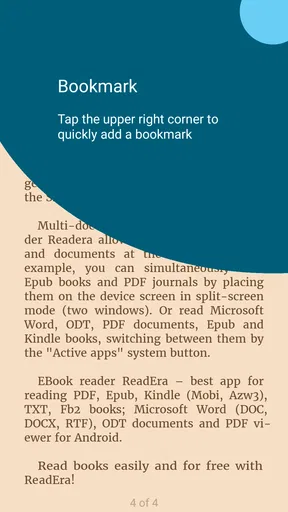
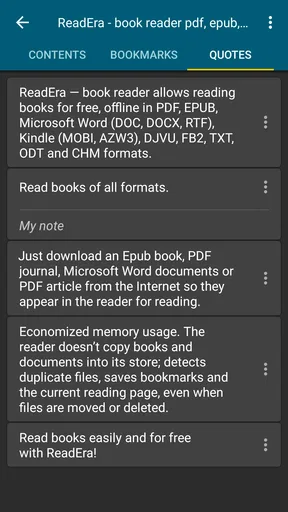
One feature I particularly love is the ability to bookmark pages and highlight text. It’s super handy for when you want to jot down a quote or remember a particular part of the book. Plus, all your notes and highlights are neatly organized, making it easy to refer back to them later.
Small habits that make reading smoother
I’d use bookmarks for more than simply marking where I stopped. In a long report or reference book, they can give me a few return points—such as a section I need to check again—while highlights help distinguish passages worth reviewing. A useful habit is to keep highlights selective: if every paragraph gets marked, the notes stop helping. For study, I’d also keep a separate written summary when I need to organize ideas across several books, rather than expecting highlights alone to do that job.
Display adjustments are most valuable when the material changes. A comfortable background and brightness can help with extended ebook reading, while a PDF with fixed page layout may call for a different approach from reflowable text. If a document is dense or designed for a larger screen, I would test a few pages before settling in; a phone is convenient for checking a passage, but it may not be the best place to read a wide technical page for an hour.
Offline Access and Syncing
Now, if you’re like me and you travel a lot, you’re going to appreciate ReadEra’s offline capabilities. Once you’ve downloaded a book, you can read it anywhere, anytime, without needing an internet connection. It’s perfect for long flights or when you’re in a spotty Wi-Fi area.
Unfortunately, ReadEra doesn’t have a cloud syncing option. So, if you switch devices, you’ll need to manually transfer your books and notes. It’s a minor hiccup, but for an app that’s free and doesn’t bombard you with ads, I’d say it’s a fair trade-off.
What moving between devices really involves
If you’re changing phones, think of the library as files you need to carry, not an account that automatically recreates your reading setup. I’d keep the original books in a folder I can locate, then transfer those files and check that important notes are available on the new device. That extra step is manageable for a small personal collection, but it can become tedious for someone who regularly reads across a phone and tablet and expects reading position and annotations to follow automatically.
This is the main point where a bookstore ecosystem or a reader with syncing may be a better fit. Those alternatives can reduce manual handling when continuity between devices matters more than format flexibility. ReadEra’s local-file approach is appealing if you want direct control of your collection; it is less appealing if you want every part of your reading life to travel seamlessly with an account.
Performance and Compatibility
In terms of performance, ReadEra is pretty lightweight. It doesn’t drain your battery or slow down your device, which is impressive given the range of formats it supports. It’s compatible with both Android and iOS, so no matter your device, you can enjoy a smooth reading experience.
The app’s frequent updates ensure it stays in tip-top shape, adding new features and improving existing ones. The developers seem to genuinely care about user feedback, which is always a good sign.
Who should choose it—and who might not
For someone deciding whether to install it, the scale of its audience is reassuring: ReadEra has a 4.8 average from around 1.5 million ratings, with over 50 million installs. It is rated Everyone, is free, and its current version is 26.05.20+2300; it was released on March 31, 2017, and supports Android 4.1 or later. Those details make it accessible to a wide range of Android users, though the best reason to try it remains whether its file-first style matches your habits.
I’d recommend it to readers who download books from different sources, keep PDFs alongside ebooks, or want a straightforward offline reader without paying for the app. It can also suit someone who prefers not to be pushed into a single store’s catalog. By contrast, readers who mostly listen to books, want a built-in purchasing experience, or rely on automatic cross-device continuity should compare it with apps built around those needs. A dedicated PDF tool may also be more comfortable for intensive document work involving frequent navigation or markup.
One sensible way to decide is to start with a few files you already read: one EPUB, one PDF, and, if relevant, a Word document. Try organizing them, adjusting the display, and using a bookmark or highlight. That small test reveals more than installing an app and browsing an empty library. It also helps you spot whether your usual documents are comfortable on your screen and whether manual file handling feels acceptable.
Final Thoughts
If you’re on the hunt for a reliable, versatile, and user-friendly reading app, ReadEra should definitely be on your radar. It simplifies digital reading by consolidating all your formats into one easy-to-use app. While it might not have all the bells and whistles of some paid apps, it delivers where it matters most – in providing a comfortable, distraction-free reading experience.
So, go ahead and give ReadEra a try. It just might become your new favorite reading companion. And hey, it’s free, so what have you got to lose?
My recommendation comes with one clear condition: choose it for the books and documents you already have, not because you expect it to replace every kind of reading service. If you want an uncomplicated place to open varied files, read offline, and keep a modest personal library organized, it is an easy app to test. If your priority is buying titles in one store or carrying notes and progress effortlessly from device to device, another category of reader may suit you better. For file-based reading, though, ReadEra is a sensible place to start.
Pros
- Supports multiple formats: PDF
- EPUB
- MOBI
- etc.
- No ads
- offering a distraction-free reading experience.
- Offline reading available for on-the-go access.
- Organizes books efficiently with collections.
- User-friendly interface with customizable settings.
Cons
- Limited cloud synchronization options.
- No built-in dictionary for quick lookups.
- Absence of audiobook support.
- Some advanced features require manual setup.
- Occasional glitches with large files.
FAQs for ReadEra – book reader pdf epub
What file formats does ReadEra support?
ReadEra is versatile in its compatibility, supporting a wide range of formats including EPUB, PDF, DOC, MOBI, and more. This makes it an excellent choice for readers who have diverse eBook collections in various formats, ensuring you can read almost any book without needing to convert files.
Is ReadEra free to use, and are there any ads?
Yes, ReadEra is completely free to download and use. One of its standout features is that it’s ad-free, providing a seamless reading experience without interruptions. This makes it a popular choice among users who prefer a distraction-free environment while reading.
Can I organize my eBooks in ReadEra?
Absolutely! ReadEra offers robust library management features. You can organize your eBooks by author, series, or category. Additionally, it automatically detects and sorts books and documents from your device's storage, making it easy to keep your collection organized.
Does ReadEra require an internet connection to read books?
No, ReadEra does not require an internet connection to read books. Once your eBooks or documents are downloaded onto your device, you can access and read them offline anytime, making it a convenient option for travel or areas with limited connectivity.
How does ReadEra handle annotations and bookmarks?
ReadEra allows users to easily add bookmarks to their reading material, enabling quick access to important sections. However, it currently does not support detailed annotations like highlighting or note-taking, which might be a consideration for users who rely on these features for study purposes.


